

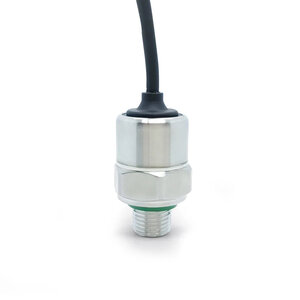
XIDIBEI XDB401 Pressure Sensor
The XIDIBEI XDB401 is available with either I²C or analog output; this ESPHome platform supports the I²C variant.
The sensor is sold in several maximum pressure ranges (1 to 100 bar), see pressure_range_bar below. Pressure is
reported in Pascal (Pa) and temperature in °C.
To use the sensor, set up an I²C Bus and connect the sensor to the specified pins.
# Example configuration entry# Pressure is reported in Pa; the filter converts it to barsensor: - platform: xdb401 update_interval: 1s temperature: id: temperature name: "Temperature" accuracy_decimals: 2 pressure_range_bar: 10 pressure: id: pressure_bar name: "Pressure" unit_of_measurement: "bar" accuracy_decimals: 2 filters: - multiply: 0.00001 # Pa -> barConfiguration variables
Section titled “Configuration variables”- temperature (Optional): The measured temperature in °C. All options from Sensor.
- pressure (Optional): The measured pressure in Pascal (Pa). All options from Sensor.
- pressure_range_bar (Optional, int): The maximum pressure range of your sensor model in bar. One of
1,2,5,10,20,50,100. Defaults to10. - address (Optional, int): Manually specify the I²C address of the sensor. Defaults to
0x7F. - update_interval (Optional, Time): The interval to check the sensor. Defaults to
60s.